
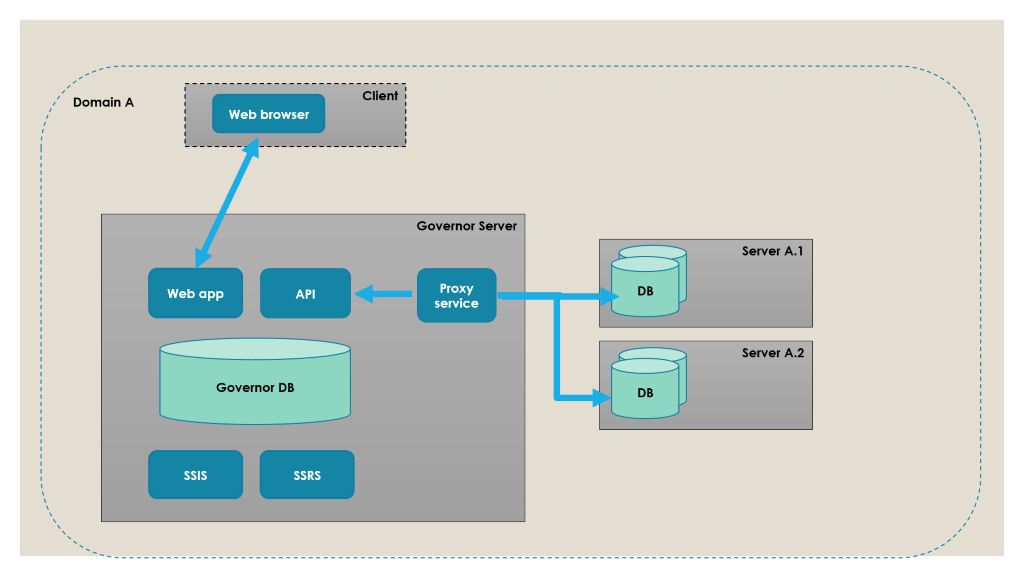
The simplest way to configure SQL Governor is to install everything on a dedicated SQL Governor server: the database, SSRS, SSIS, the Web API, IIS, the UI and the proxy service. In the example below, a single proxy service on the SQL Governor server monitors other servers on the same domain.
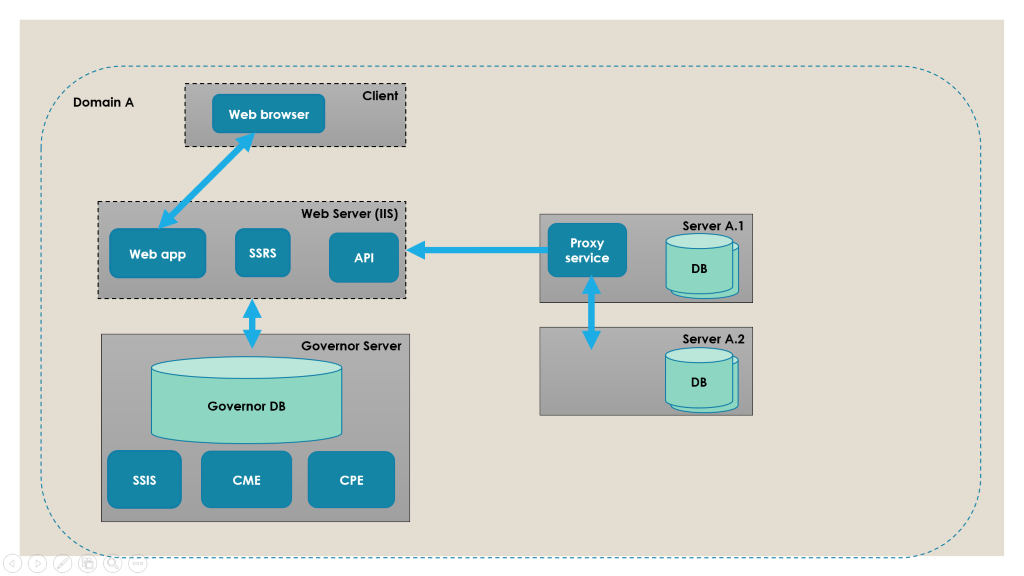
In the next example, the Web Server and the SQL Governor server are separated, and the proxy is installed on one of the servers to be monitored. In this case, the web application (the UI), SSRS and the Web API are installed on the Web Server with IIS, while the SQL Governor database and SSIS are installed on the SQL Governor server. The proxy on server A.1 monitors all servers on domain A.
Finally, in a multi-domain environment at least one proxy is needed per domain, as in the example below.
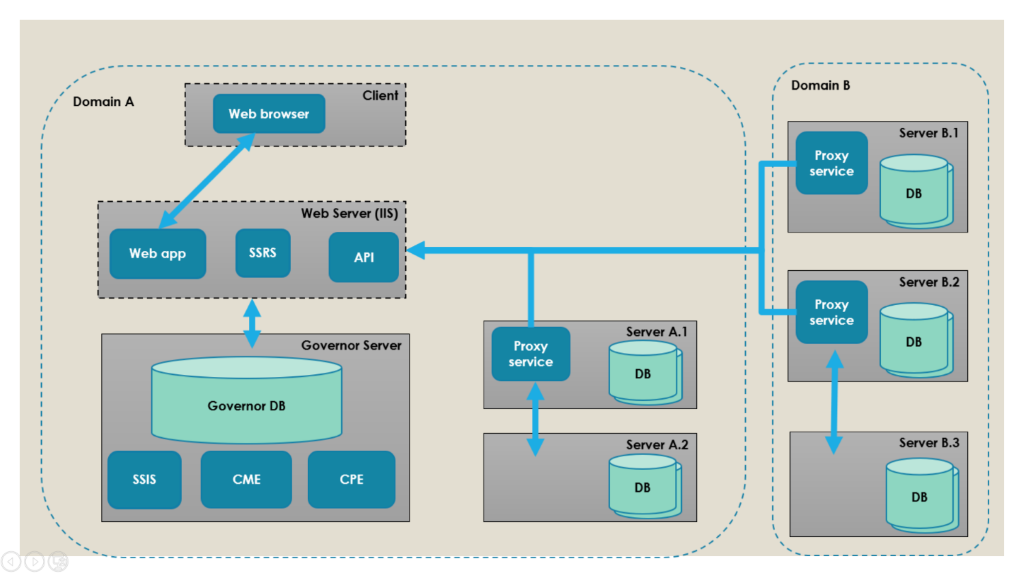
Note that any combination of the above configurations is possible.